


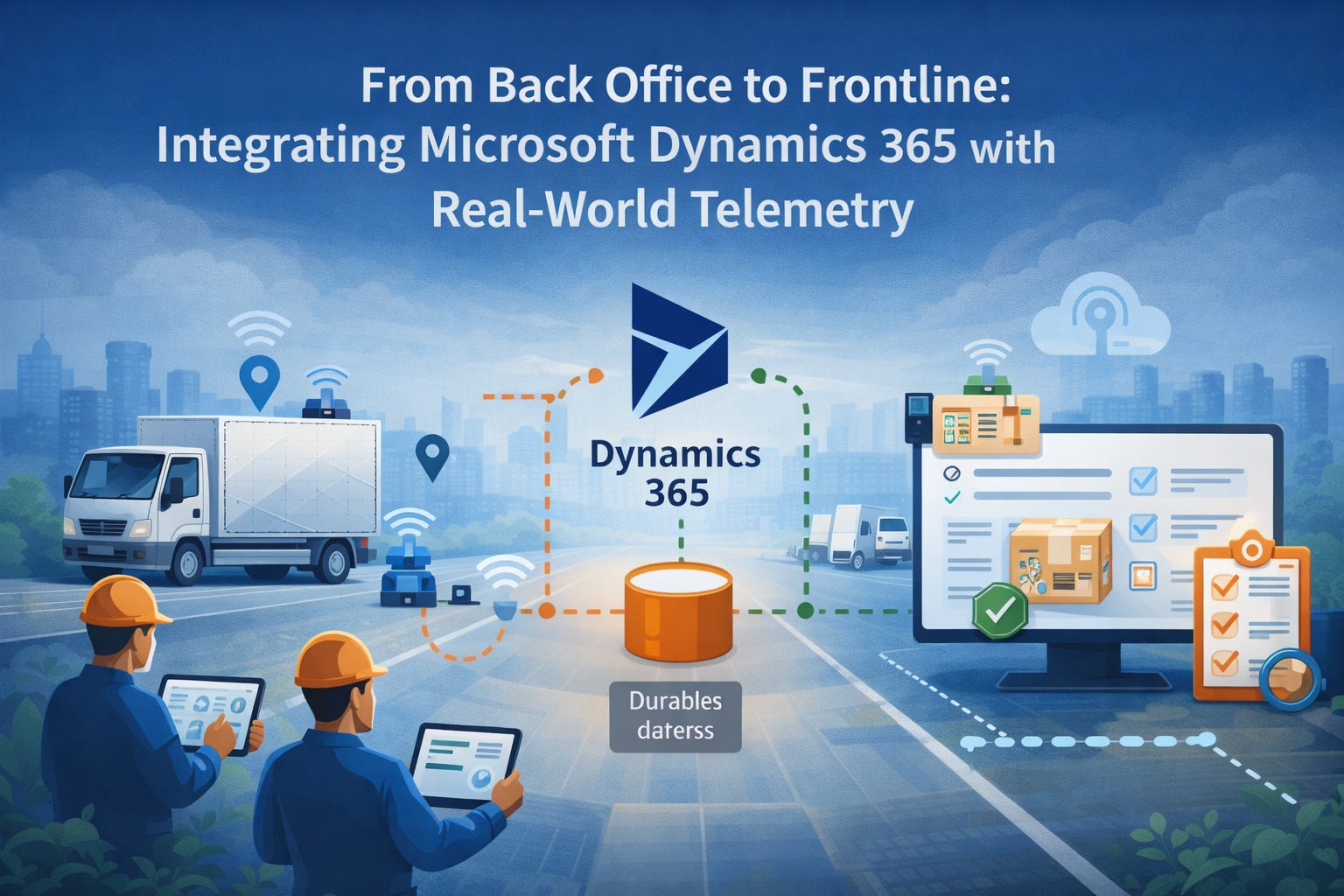
Integrating Microsoft Dynamics 365 (Finance & Operations, Business Central) with real-world telemetry turns raw signals into operational decisions — and it’s where assumptions meet reality.
Devices go offline. Vendors customize fields. Clocks drift. A single duplicate write can obscure a day’s worth of KPIs.
This post is a practical playbook: architecture patterns, minimal data contracts, observability signals, and recovery playbooks we use at Dynamics Mobile to get telemetry reliably, audibly, and cheaply into Dynamics systems.
Where theory breaks down
For field-centric businesses, the gap between what happens on the ground and what the back office records directly impacts cash flow, customer experience, and compliance.
Accurate telemetry enables:
Inventory balances reconciled as soon as the delivery closes
Cash and payment positions validated without waiting for end-of-day settlement
Routes finalized and closed the moment the last stop is confirmed
Automated SLA adjustments
Tamper-evident audit trails
Faster billing cycles
But turning noisy device signals into ERP state is where many teams lose reliability and patience.
The goal is not perfect telemetry.
It’s predictable, reversible, and observable changes to Microsoft Dynamics 365 (F&O, BC).
That shifts the engineering problem away from capturing every signal to capturing the right intents (what happened) — and ensuring each intent maps safely and audibly into ERP.
Below are patterns we copy, schemas we trust, and playbooks we run when things go wrong.
Architectural patterns
Pick the lightest architecture that meets your SLA and audit needs — then harden it.
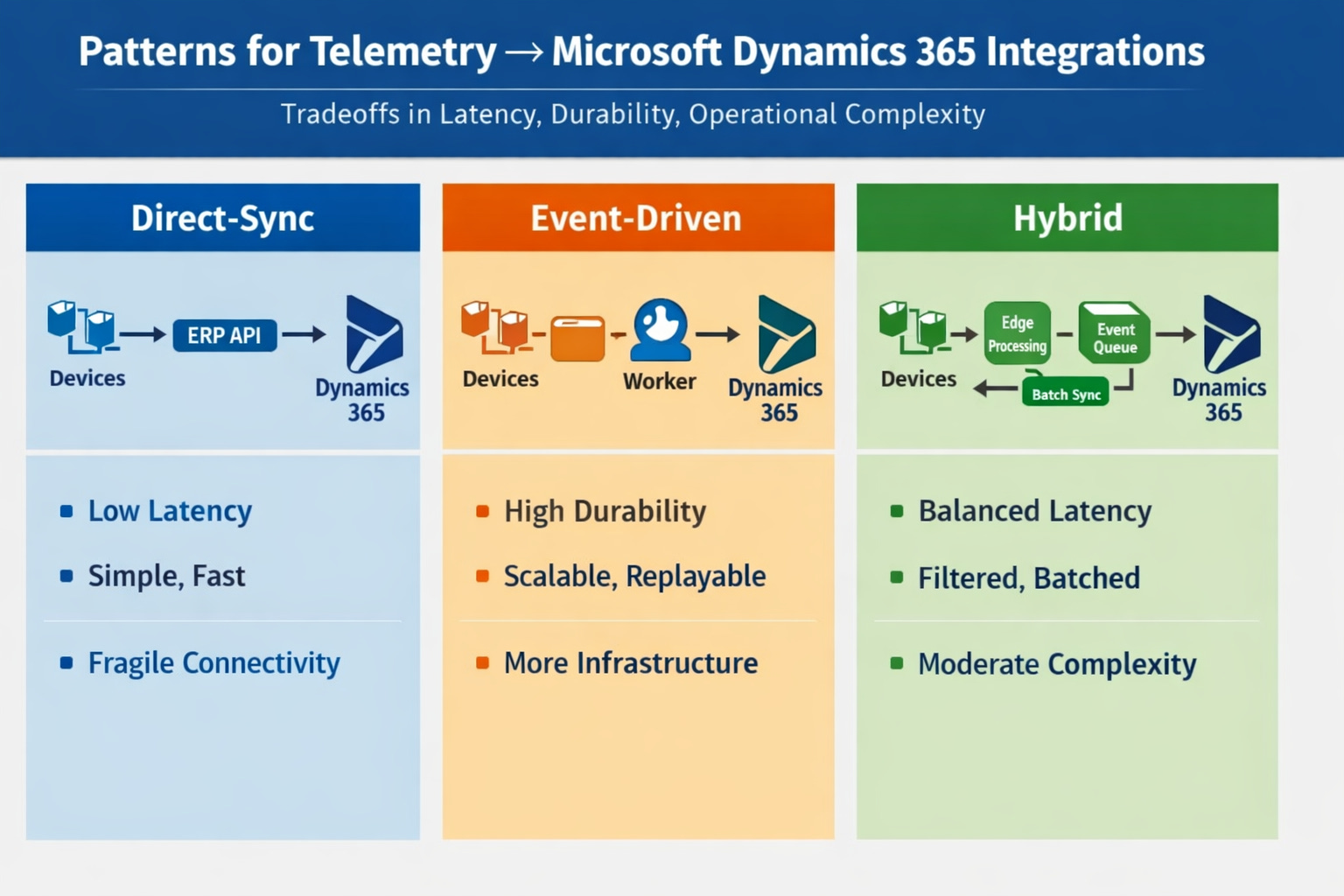
Pattern A — Direct-sync (edge → ERP API)
When to use
Small fleets, reliable connectivity, and immediate business effects (e.g., decrement inventory on delivery).
How
Device or edge gateway issues authenticated calls directly to Dynamics APIs or through a thin gateway microservice.
Pros
Minimal latency
Fewer moving parts
Cons
Brittle under intermittent connectivity
Retry complexity pushed to the device or gateway
Pattern B — Event-driven (edge → durable queue → worker → ERP)
When to use
Medium-to-large fleets, offline devices, and when durability, replayability, and controlled enrichment are required.
How
Devices push canonical events to a durable queue (MQTT, Kafka, or Azure Service Bus). Stateless workers validate, enrich (customer mapping, SKU normalization), and call Dynamics APIs or apply batch writes. Use per-event idempotency keys.
Pros
Durable and replayable
Easier to scale
Cons
More infrastructure
Requires strong observability
Pattern C — Hybrid (edge preprocess + event bus + batch sync)
When to use
Sensors produce high-volume telemetry but only specific intent events should mutate ERP.
How
Edge preprocessors filter and emit intent events to the queue. Workers aggregate and batch writes to Dynamics.
Balances cost and latency.
Core components and responsibilities
Edge
Compact canonical events; local dedupe; monotonic counters (do not rely on device clock alone)Ingestion
Durable queue with visibility timeouts and conservative TTLsWorkers
Stateless consumers performing validation, enrichment, mapping, and idempotent writes to DynamicsBack-office adapter
Thin, audited service encapsulating Dynamics writes, retries, and per-event metadataAudit store
Queryable trail:event_id → payload → worker run → ERP request/response → status
Schema, idempotency, and versioning
Minimal canonical event (purpose-driven)
event_id(UUID) — idempotency keydevice_idtimestamp_utc(ISO) — device timestamp, not authoritativeevent_type(intent)payload_version(int)payload(small, domain fields)
Idempotency is non-negotiable.
Use event_id at every write path so retries and replays are safe. For batch writes, include per-event IDs and plan for partial failures. Version payloads and keep workers compatible with older versions for a defined window.
Data contracts & observability
Data contract principles
Intent vs telemetry
Only intent events should mutate ERP (e.g.,delivery_complete,return_initiated). Telemetry (GPS pings, heartbeats) is for context and observability.Minimal but sufficient
Map to ERP concepts (order_id,sku,qty,proof_uri). Avoid sending full device streams into ERP.
Sample JSON (copy/paste)
{
  "event_id": "uuid-v4",
  "device_id": "dev-1234",
  "timestamp_utc": "2026-02-05T10:30:00Z",
  "event_type": "delivery_complete",
  "payload_version": 1,
  "payload": {
    "order_id": "MD365-F&O-98765",
    "sku": "SKU-123",
    "quantity": 3,
    "delivered_by": "driver-42",
    "proof": "s3://bucket/path.jpg"
  }
}
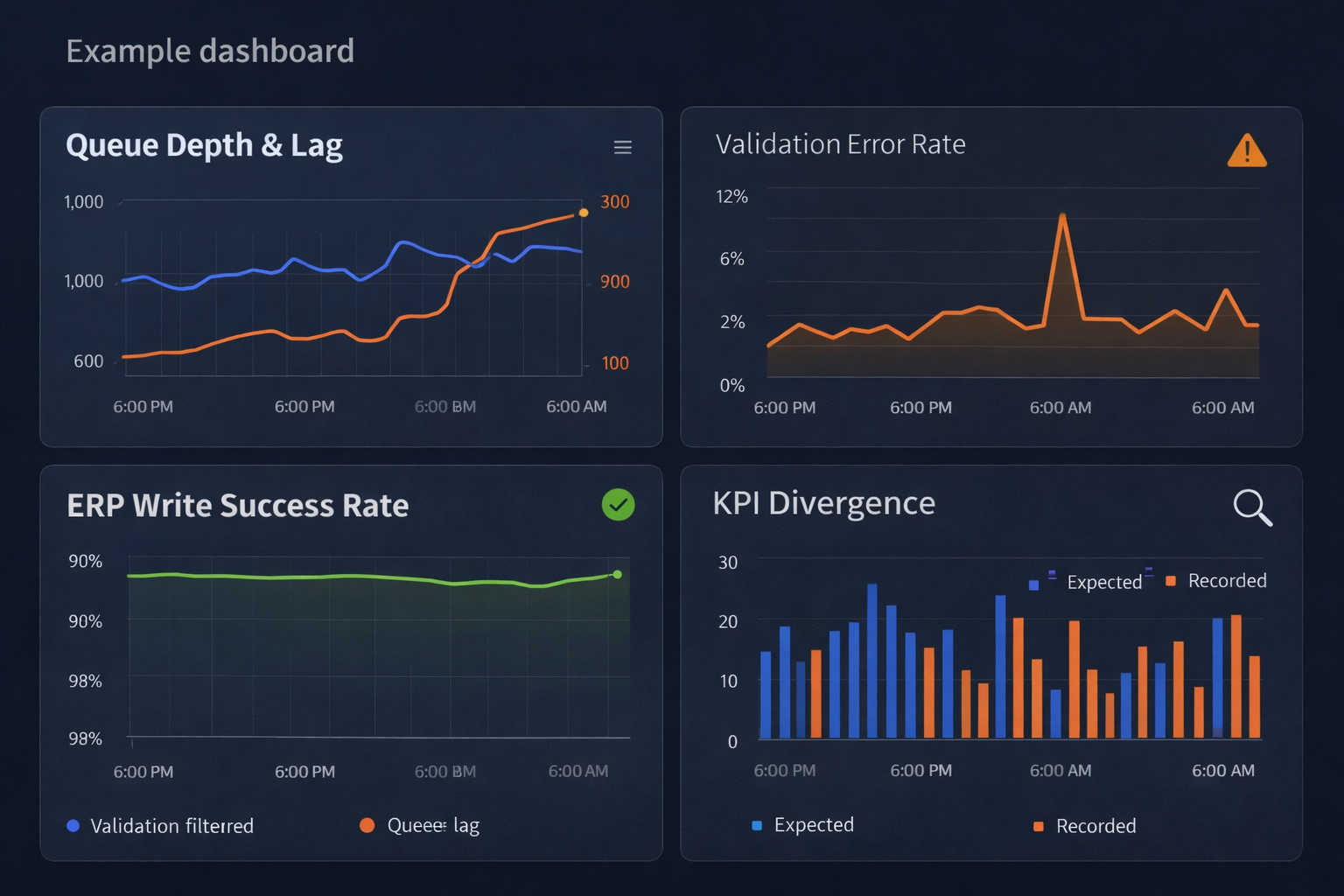
Observability signals (must-track)
Ingestion rate, queue depth, and consumer lag
Validation errors by schema version (spikes = drift)
ERP write success rate and per-call latency
Idempotency conflicts (duplicate
event_id)Business KPI divergence (expected vs recorded)
Tracing and lineage
Record an immutable audit record per business event: original payload, worker ID, ERP request/response, and final status.
Make it queryable by order_id, device_id, and event_id for post-mortem and compliance work.
Failure modes & recovery playbooks
Expect these — and codify responses.
Clock drift & out-of-order events
Symptom
Timestamps regress or fall outside expected windows.
Detect
Negative latency histograms; timestamp distribution anomalies.
Mitigate
Accept server-received time as authoritative. Require monotonic device counters. Route out-of-window events to staging or manual review.
Duplicate events / idempotency gaps
Symptom
Duplicate debits or deliveries.
Detect
Duplicate event_id or repeated results for the same order_id.
Mitigate
Enforce idempotency on Dynamics writes. Run compensating transactions if customer impact occurred.
Partial writes
Symptom
Inventory adjusted but invoice missing.
Detect
Mismatched KPIs and incomplete audit traces.
Mitigate
Prefer transactional operations. Otherwise, reconcile safely using idempotency keys.
Mapping drift after ERP customizations
Symptom
Writes fail after partner field changes.
Detect
Mapping error spikes; staging validation failures.
Mitigate
Versioned mappings, conformance tests, and partner gating. Pause automated writes and route events to staging.
Backpressure and queue floods
Symptom
Telemetry spikes overwhelm workers.
Detect
Queue depth alarms and sustained consumer lag.
Mitigate
Prioritize intent events, autoscale consumers, aggregate or drop low-value telemetry, communicate degraded mode clearly.
Governance checklist for incidents
Customer-facing impact? Escalate immediately
Automated rollback safe? If not, pause writes
Idempotency reconcile possible? Schedule replay
Manual remediation needed? Create audit ticket with full trace
Partnering & rollout playbook
Testing matrix
Lab
Synthetic devices + sandbox Dynamics tenantStaged
Single-customer pilot (10–50 devices) with nightly reconciliationPilot
Expanded tenants with human-in-loop exceptionsProduction
Scale after error rates <0.1% for 72 hours
Partner gating
Conformance tests for schema, idempotency, monotonic counters
Mapping simulator/test harness for local + staging
“Safe mode” onboarding until confidence thresholds are met
Launch checklist (copy/paste)
Agree canonical event schema & idempotency rules
Validate mapping config in sandbox tenant
Implement ingestion queue with monitoring & retention
Create worker idempotency & retry policy
Build audit store with queryable traces
Run failure injection tests
Complete staged pilot and KPI validation
Enable rollback gates & escalation procedures
Document partner onboarding & mapping sign-off
Prepare post-mortem template
Closing
Don’t chase perfect data.
Make ERP changes predictable, reversible, and observable. Start small. Insist on idempotency and an audit trail. Formalize partner gating so mapping drift becomes an engineering step — not a recurring outage.